
Image embeddings with YOLO
Image embeddings represent visual features as numeric vectors, useful for
similarity search and grouping related images.
Ultralytics' YOLO.embed
extracts these vectors from intermediate model layers. This tutorial builds
pipelines to generate embeddings, then compares images by measuring similarity
between their vectors.
Before you begin, follow the Installation instructions. Run the Python snippets in order from the repository root.
Generate embedding for images
Start with a pipeline containing only yolo.Embed. Pass a single image path
to extract its feature vector:
from pathlib import Path

from ml_pipes.core import Pipeline
from ml_pipes.ultralytics import yolo


image_a = Path("docs/assets/image_similarity/bus-1.png")
embedding_pipeline = Pipeline(
    [yolo.Embed(model="yolo26n.pt", imgsz=640, device="cpu", rect=False)],
    auto_validate=True,
)

embedding = embedding_pipeline(str(image_a))[0]

print(f"Image: {image_a.name}")
print(f"Embedding shape: {embedding.shape}")
print(f"First 8 values: {[round(value, 6) for value in embedding[:8].tolist()]}")
Output:
Image: bus-1.png
Embedding shape: torch.Size([256])
First 8 values: [0.197174, 2.153539, -0.241769, -0.154563, 0.325978, -0.17542, 0.29184, 0.868508]
yolo.Embed returns a native list[torch.Tensor], even for one image. Here,
the list contains one one-dimensional vector. This is a representation of the
image, not a similarity score; comparison needs a second vector.
How YOLO embeddings work
By default, YOLO takes feature maps from its second-to-last layer and averages each channel across its spatial dimensions to produce a one-dimensional vector. This represents the whole image, including its background.
Embedding extraction requires a native PyTorch checkpoint; exported ONNX and TensorRT models do not expose these intermediate layers.
Measure image similarity
Passing two image paths to yolo.Embed returns two vectors,
one per image in input order. We can add a step to compare those vectors.
The following operator validates the pair and uses PyTorch's
cosine_similarity to return a score between -1 and 1. Higher scores mean
closer feature directions, not a probability that two images are duplicates.
import torch
from torch import Tensor
from torch.nn import functional as F

from ml_pipes.operator import Operator


@Operator
class CosineSimilarity:
    def __call__(self, embeddings: list[Tensor]) -> float:
        if len(embeddings) != 2:
            raise ValueError("Expected exactly two embedding vectors.")
        if any(vector.ndim != 1 or vector.numel() == 0 for vector in embeddings):
            raise ValueError("Embeddings must be non-empty, one-dimensional vectors.")
        if embeddings[0].shape != embeddings[1].shape:
            raise ValueError("Embedding vectors must have the same shape.")

        features = torch.stack(embeddings).float()
        if not torch.isfinite(features).all().item():
            raise ValueError("Embedding vectors must contain only finite values.")
        norms = torch.linalg.vector_norm(features, dim=1)
        if not torch.isfinite(norms).all().item() or (norms == 0).any().item():
            raise ValueError("Embedding vectors must have finite, non-zero norms.")

        score = F.cosine_similarity(features[0], features[1], dim=0, eps=0.0)
        return score.clamp(-1.0, 1.0).item()
Build a two-image similarity pipeline
Add CosineSimilarity after yolo.Embed to turn two image paths into one
similarity score. Keep the same checkpoint and preprocessing as the
single-image example.
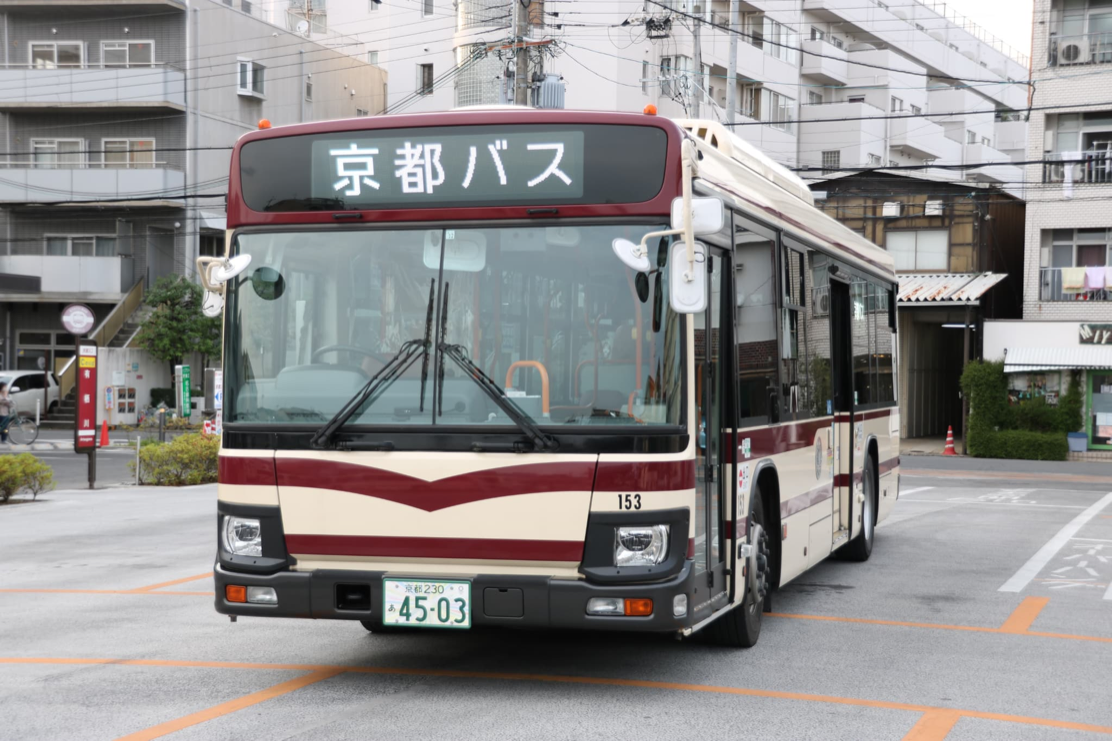
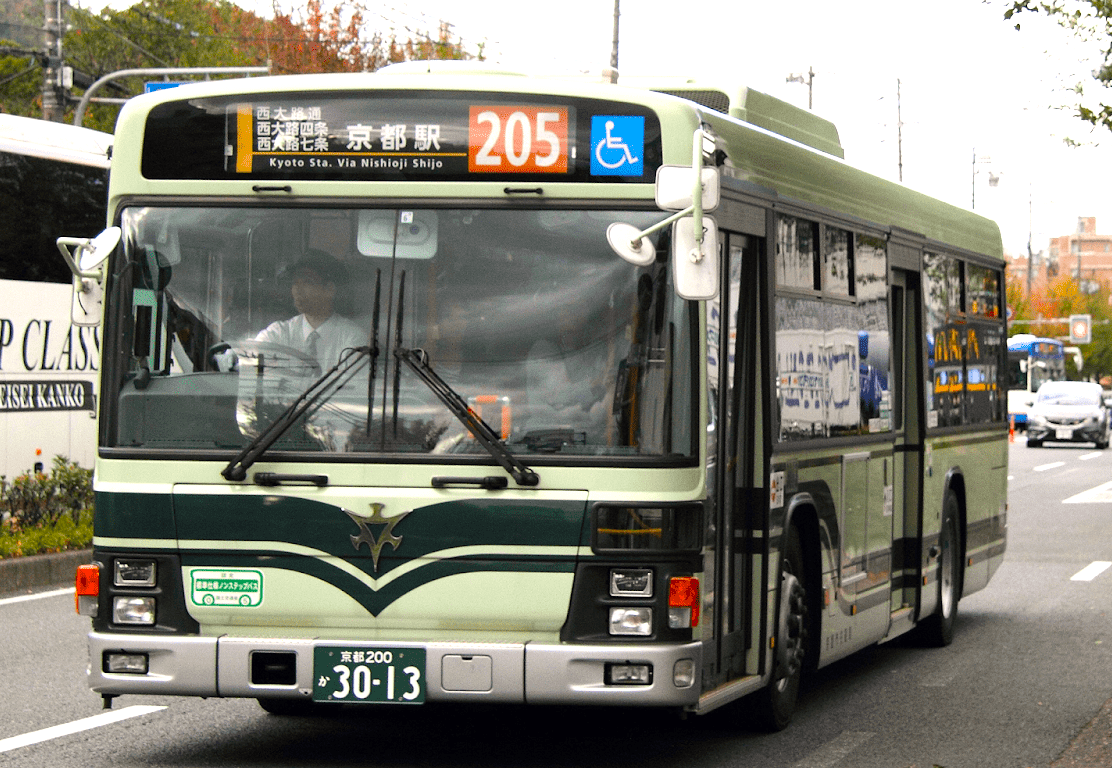
These two photos are sample inputs; replace their paths with any two local images you want to compare. Both source files are 1112 pixels wide, with their aspect ratios preserved.
Image A: bus-1.png |
Image B: bus-2.png |
|---|---|
 |
 |
pipeline = Pipeline(
    [
        yolo.Embed(model="yolo26n.pt", imgsz=640, device="cpu", rect=False),
        CosineSimilarity(),
    ],
    auto_validate=True,
)

image_b = Path("docs/assets/image_similarity/bus-2.png")

print(f"Image A: {image_a.name}")
print(f"Image B: {image_b.name}")
similarity = pipeline([str(image_a), str(image_b)])
print(f"Cosine similarity: {similarity:.6f}")
Output:
Compare an image with a transformed copy
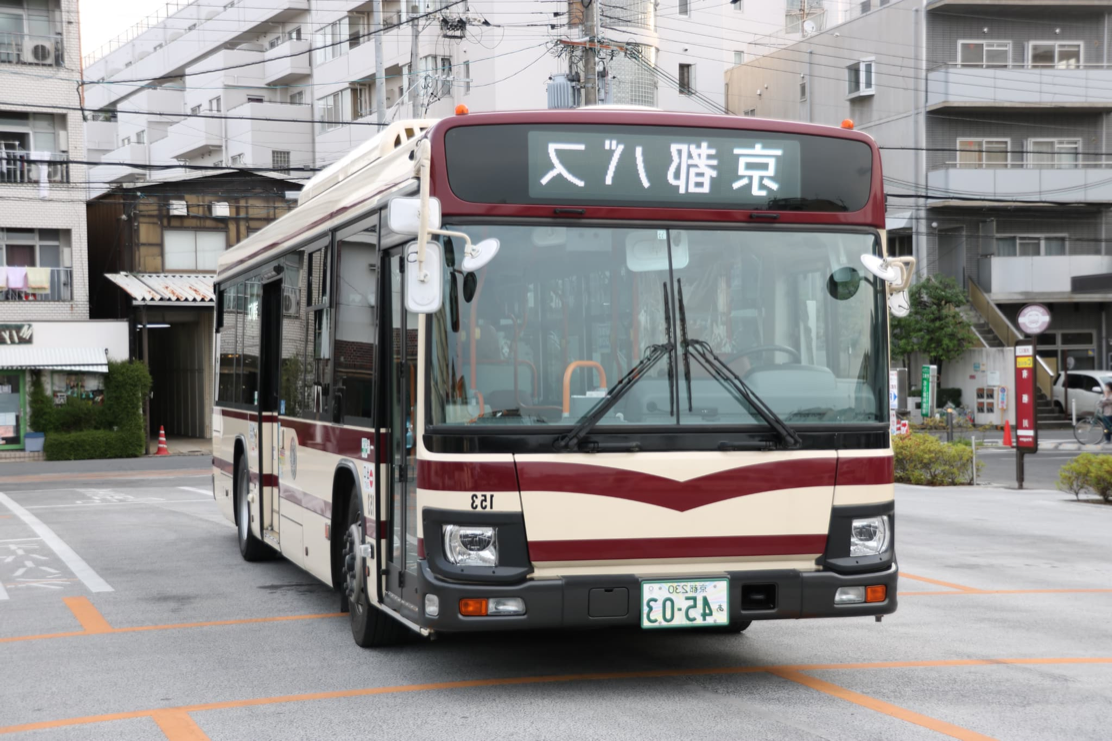
The third sample, bus-1-flipped.png, is a pixel-for-pixel horizontal mirror
of bus-1.png, not another bus photo.
Original: bus-1.png |
Horizontal flip: bus-1-flipped.png |
|---|---|
|
 |
Pass the original and flipped paths to the same pipeline:
flipped_image = Path("docs/assets/image_similarity/bus-1-flipped.png")

print(f"Image A: {image_a.name}")
print(f"Image B: {flipped_image.name}")
flip_similarity = pipeline([str(image_a), str(flipped_image)])
print(f"Cosine similarity: {flip_similarity:.6f}")
Output:
| Comparison | Cosine similarity |
|---|---|
| Two different photos | 0.981226 |
| Original photo vs its horizontal flip | 0.998215 |
The flipped copy scores closer to the original than the other bus photo. These are two illustrative comparisons, not a calibrated similarity benchmark. A high score does not establish that two photos show the same vehicle or are duplicates: YOLO features are trained for detection, not identity matching or semantic retrieval. Keep the checkpoint, embedding layer, and preprocessing consistent; scores can vary with model versions and devices.
Run the example
Reproduce the two comparisons from the repository root:
python examples/run_image_similarity.py --device cpu
python examples/run_image_similarity.py --device cpu --image-b docs/assets/image_similarity/bus-1-flipped.png
The example prints both filenames and the cosine score. Replace --image-a
and --image-b with your own local paths; --model, --imgsz, and
--device configure embedding extraction. See
run_image_similarity.py
for the complete script.
The score-calculation step can later support ranking or grouping a gallery.