
Isolate Segmented Objects
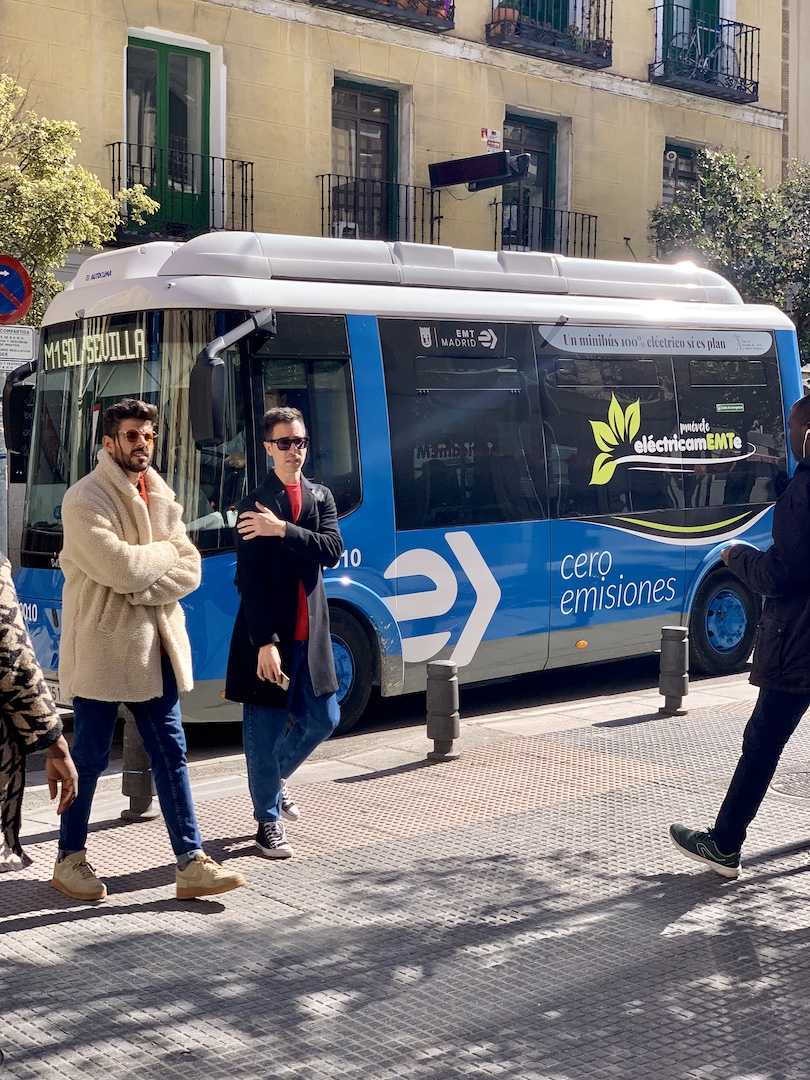
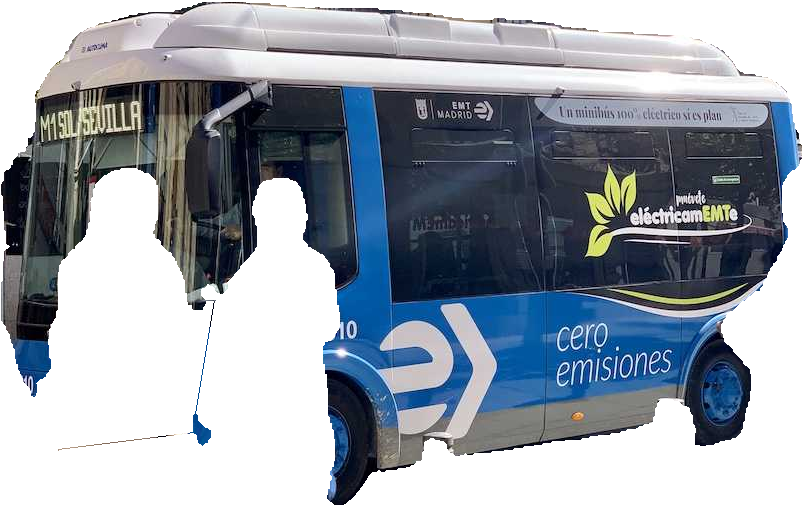
Segment an image, then extract each object with its background removed. This is useful for isolating segmented objects as transparent PNGs for compositing, product images, or further processing of individual objects. Following the Ultralytics Object Isolation workflow, this tutorial makes inference and mask-based isolation explicit pipeline steps.
Before you begin, follow the Installation instructions. Run the Python snippets in order in the same script or notebook.
| Before | After |
|---|---|
 |
 |
Build the pipeline
Segmentation finds objects in an image and produces a mask for each one, describing which pixels belong to that object. The pipeline first runs a YOLO segmentation model to obtain these masks. See Segment and Annotate for more about segmentation.
IsolateObjects then uses each mask to separate the object from its
background. It keeps the object's pixels, makes the surrounding pixels
transparent (or black), and returns the isolated objects:
Define the IsolateObjects operator
import re
from pathlib import Path
from typing import Literal
from uuid import uuid4

import cv2
import numpy as np
import numpy.typing as npt
from ultralytics.engine.results import Results

from ml_pipes.operator import Operator

ImageArray = npt.NDArray[np.uint8]


@Operator
class IsolateObjects:
    """Return aligned detections and isolated images, optionally saving PNGs."""

    def __init__(
        self,
        *,
        save: bool = False,
        crop: bool = False,
        source_name: str = "image",
        output_dir: Path = Path("isolated-objects"),
        background: Literal["transparent", "black"] = "transparent",
    ) -> None:
        if background not in {"transparent", "black"}:
            raise ValueError("background must be 'transparent' or 'black'.")
        self.output_dir = Path(output_dir)
        self.save = save
        self.source_name = self._filename_part(source_name)
        self.crop = crop
        self.background = background

    @staticmethod
    def _filename_part(value: str) -> str:
        return re.sub(r"[^a-zA-Z0-9_-]+", "_", value)[:80].strip("_") or "unknown"

    def __call__(self, result: Results) -> tuple[Results, list[ImageArray]]:
        if self.save:
            self.output_dir.mkdir(parents=True, exist_ok=True)
        if result.masks is None or result.boxes is None or len(result.boxes) == 0:
            return result[:0], []

        image = result.orig_img
        height, width = image.shape[:2]
        native_boxes = result.boxes.cpu().numpy()
        boxes = native_boxes.xyxy
        classes = native_boxes.cls
        # masks.xy removes inference letterboxing and scales to orig_img pixels.
        polygons = result.masks.xy
        run_id = uuid4().hex if self.save else None
        indices, images = [], []
        for index, (polygon, box, class_id) in enumerate(zip(polygons, boxes, classes)):
            if len(polygon) < 3:
                continue
            mask = np.zeros((height, width), dtype=np.uint8)
            contour = np.rint(polygon).astype(np.int32).reshape(-1, 1, 2)
            cv2.fillPoly(mask, [contour], 255)
            if not mask.any():
                continue

            isolated = cv2.bitwise_and(image, image, mask=mask)
            if self.background == "transparent":
                isolated = cv2.cvtColor(isolated, cv2.COLOR_BGR2BGRA)
                isolated[:, :, 3] = mask
            if self.crop:
                x0, y0 = np.clip(np.floor(box[:2]), [0, 0], [width, height]).astype(int)
                x1, y1 = np.clip(np.ceil(box[2:]), [0, 0], [width, height]).astype(int)
                if x0 >= x1 or y0 >= y1:
                    continue
                isolated = isolated[y0:y1, x0:x1].copy()

            if self.save:
                class_id = int(class_id)
                label = self._filename_part(result.names[class_id])
                path = self.output_dir / (
                    f"{self.source_name}_{run_id}_object-{index:03d}_class-{class_id}-{label}.png"
                )
                if not cv2.imwrite(str(path), isolated):
                    raise OSError(f"Could not save {path}")
            indices.append(index)
            images.append(isolated)
        return result[indices], images
Here, crop=True also trims each isolated image to the object's bounding box, like Detect and Crop.
Transparent images are four-channel BGRA arrays. Set background="black" to
return opaque, three-channel BGR images.
from ml_pipes.core import Pipeline
from ml_pipes.standard import Select
from ml_pipes.ultralytics import yolo

pipeline = Pipeline(
    [
        yolo.Predict(model="yolo26n-seg.pt", conf=0.25),
        Select(0),
        IsolateObjects(crop=True),
    ],
    auto_validate=True,
)
Run it on an image
The pipeline accepts an image as a BGR NumPy array, such as the one decoded
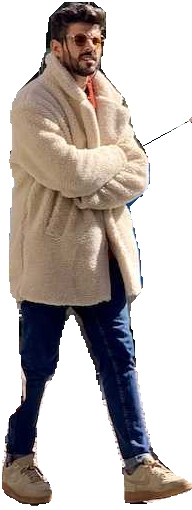
by OpenCV. It returns (detections, images): native Results and a list of
isolated NumPy images, with each image paired to the detection at the same index.
import cv2

image = cv2.imread("bus.jpg")
if image is None:
    raise RuntimeError("Could not load bus.jpg")

detections, images = pipeline(image)
print(f"Isolated {len(images)} objects")
| Isolated bus | Isolated person |
|---|---|
|
 |
Set save=True on IsolateObjects to also save PNGs, and use output_dir to
choose where to save them.
Run the example
To run the complete example script instead, clone the repository, then run these commands from its root directory:
python examples/run_isolate_segmented_objects.py --crop
python examples/run_isolate_segmented_objects.py --source path/to/image.jpg --crop --save
python examples/run_isolate_segmented_objects.py --crop --background black --save
The example uses the bundled bus image by default. With --save, it also
saves PNGs under examples/.example_assets/isolated-objects/; omit --save
to isolate objects in memory only. Use --output-dir to choose a different
directory. It also exposes the model, confidence, classes, and device through
--model, --conf, --classes, and --device.
See run_isolate_segmented_objects.py
for all command-line options.